Skip to content
IN-STORE VIRTUAL TRY-ON

See how it looks on you. Without trying it on.

See your favourite outfits on you before you buy. Try different styles, compare each look against your own photo, and know what fits with StyleFrame’s AI virtual try-on.
  • No app to install
  • No customer signup
  • Photos deleted automatically
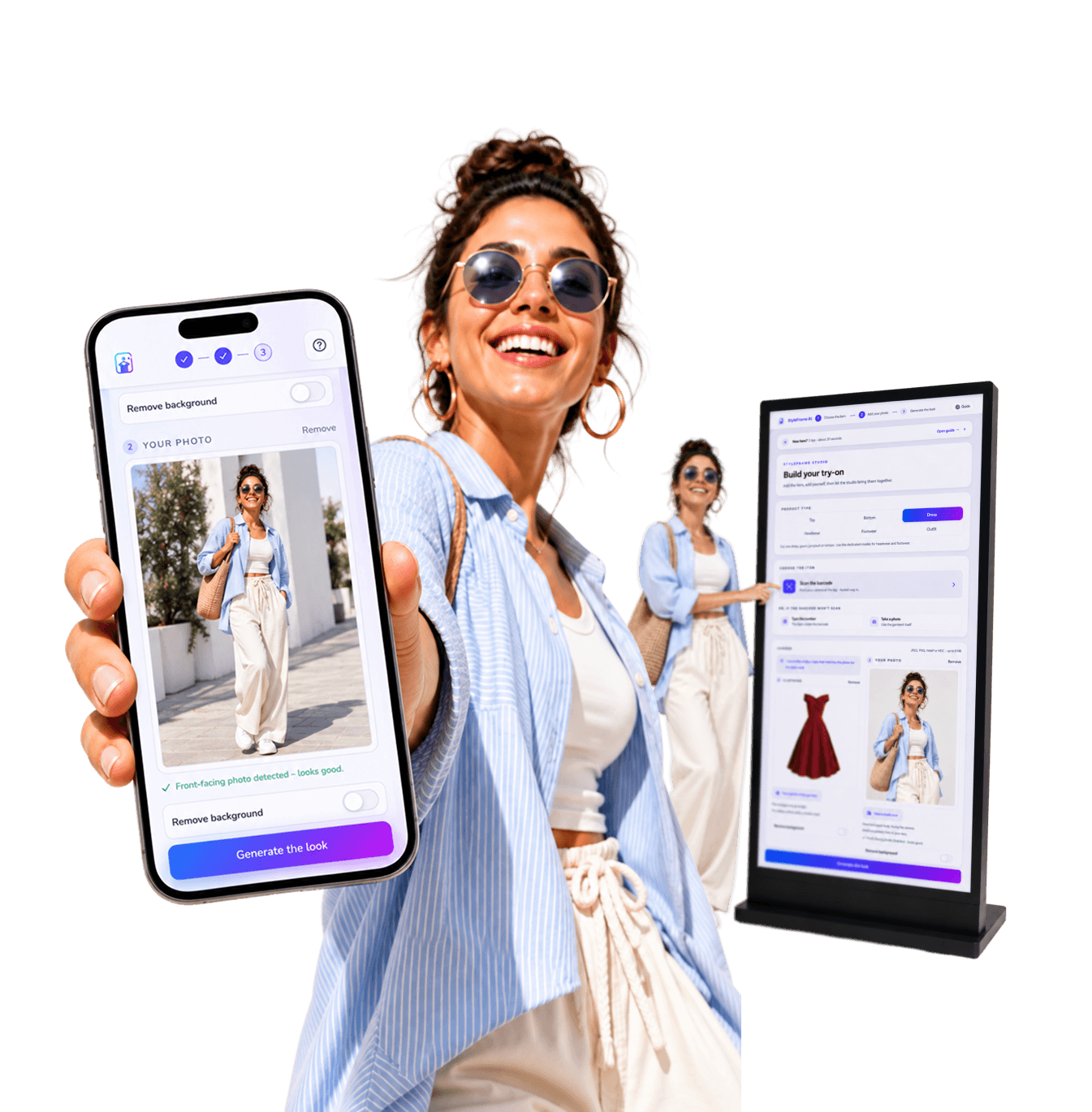
A shopper holding the StyleFrame virtual try-on on a phone, beside a concept in-store kiosk showing the same experience
What is StyleFrame

What is StyleFrame?

StyleFrame is a virtual try-on experience that lets shoppers see themselves in different outfits, build complete looks, and choose with confidence, all from a single photo.

Beyond the try-on, StyleFrame captures what shoppers explore and choose, helping businesses understand demand and make sharper decisions.

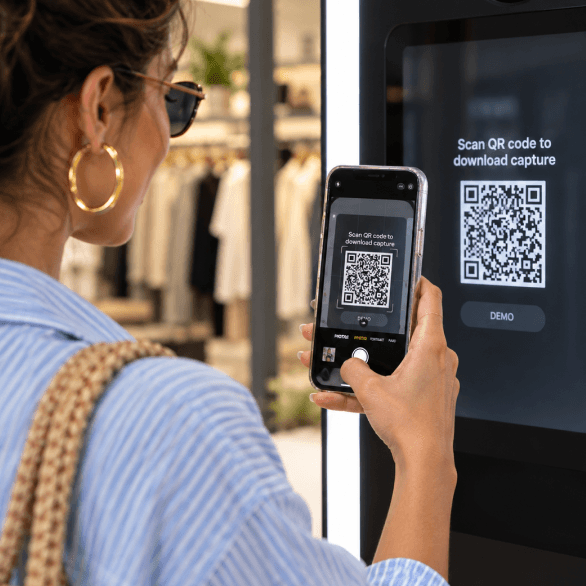
A shopper scanning a StyleFrame QR code from an in-store display with her phone
01

See more.

More of the collection than a trip to the fitting room could ever cover.
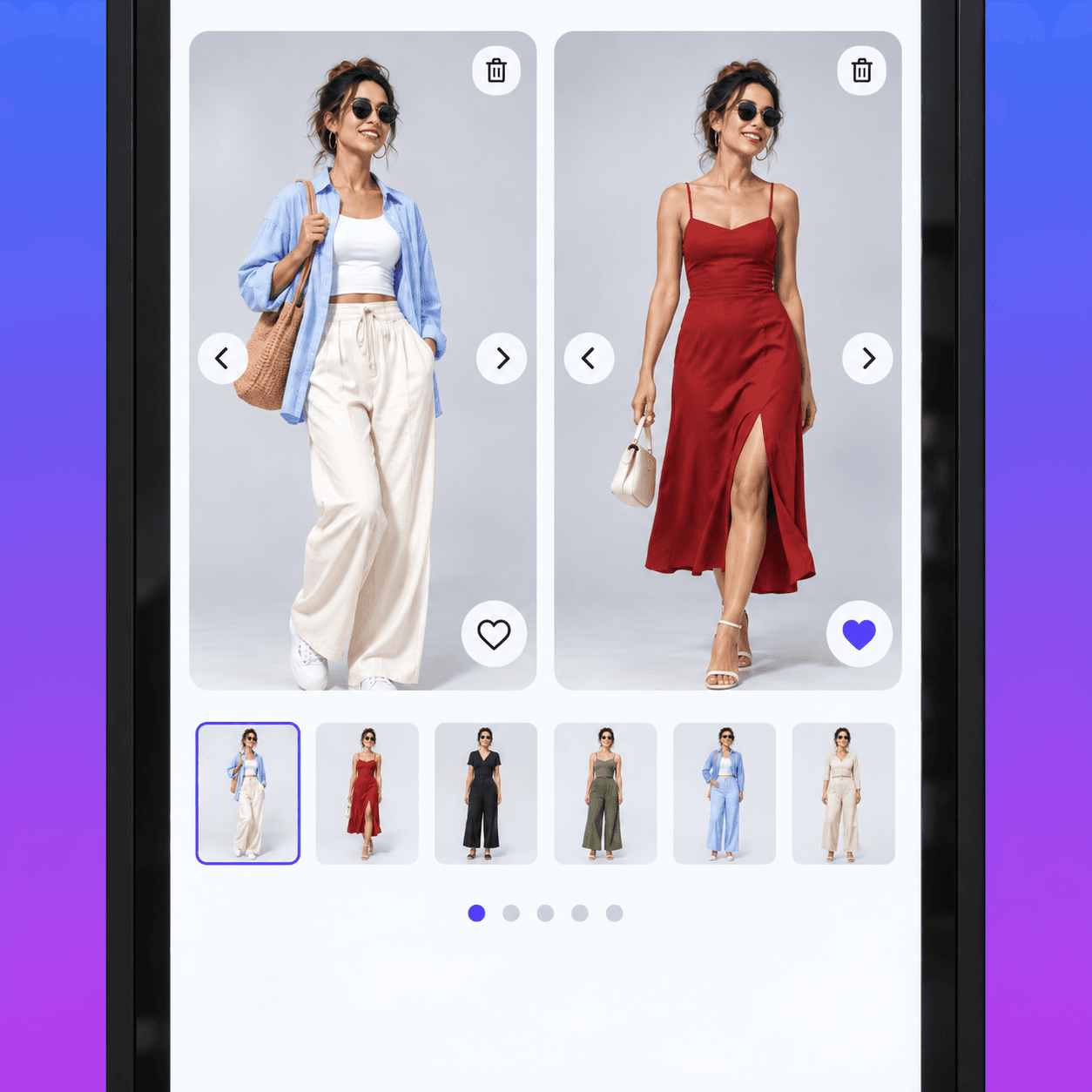
A StyleFrame kiosk comparing the shopper in her original outfit and a red dress side by side
02

Compare better.

Every result sits against their own photo, so the difference is theirs to judge.
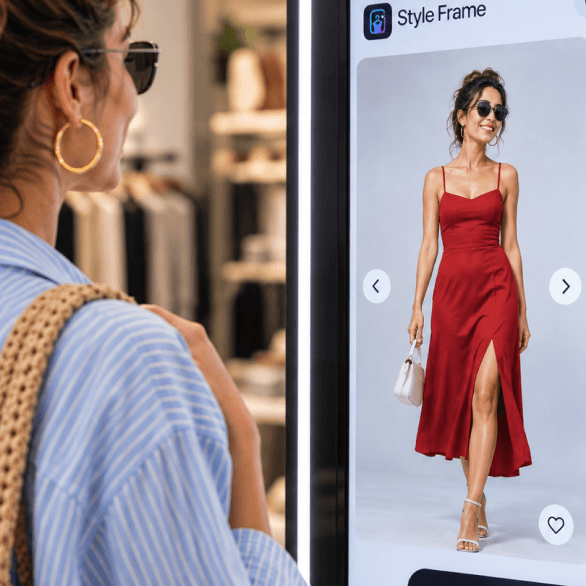
A shopper viewing herself in a red dress on a StyleFrame in-store display
03

Choose with confidence.

Their shape and their proportions, preserved in every look.

1 / 3 · Swipe to explore

Because the best style decisions aren’t imagined.

They’re seen.

See it for yourself

See StyleFrame for yourself.

Scan the code and walk the exact flow your shoppers do on your own phone, right now.

01

Scan.

Your phone camera opens the demo shop in the browser. No app; the public demo uses a quick phone-code verification.

02

Upload.

Pick a garment from the demo catalogue and add one photo of yourself.

03

Try a look.

You walk the real studio end to end. The final render is paused on the public demo. Ask us and we will show you a live one.

Opens the demo shop in your browser. Standing in a store? Point your phone camera at the QR sticker on the hangtag instead.

The StyleFrame experience

No more changing in and out, ten times over.

Your customer does all of this on their own phone, standing in front of the rail.

01Scan

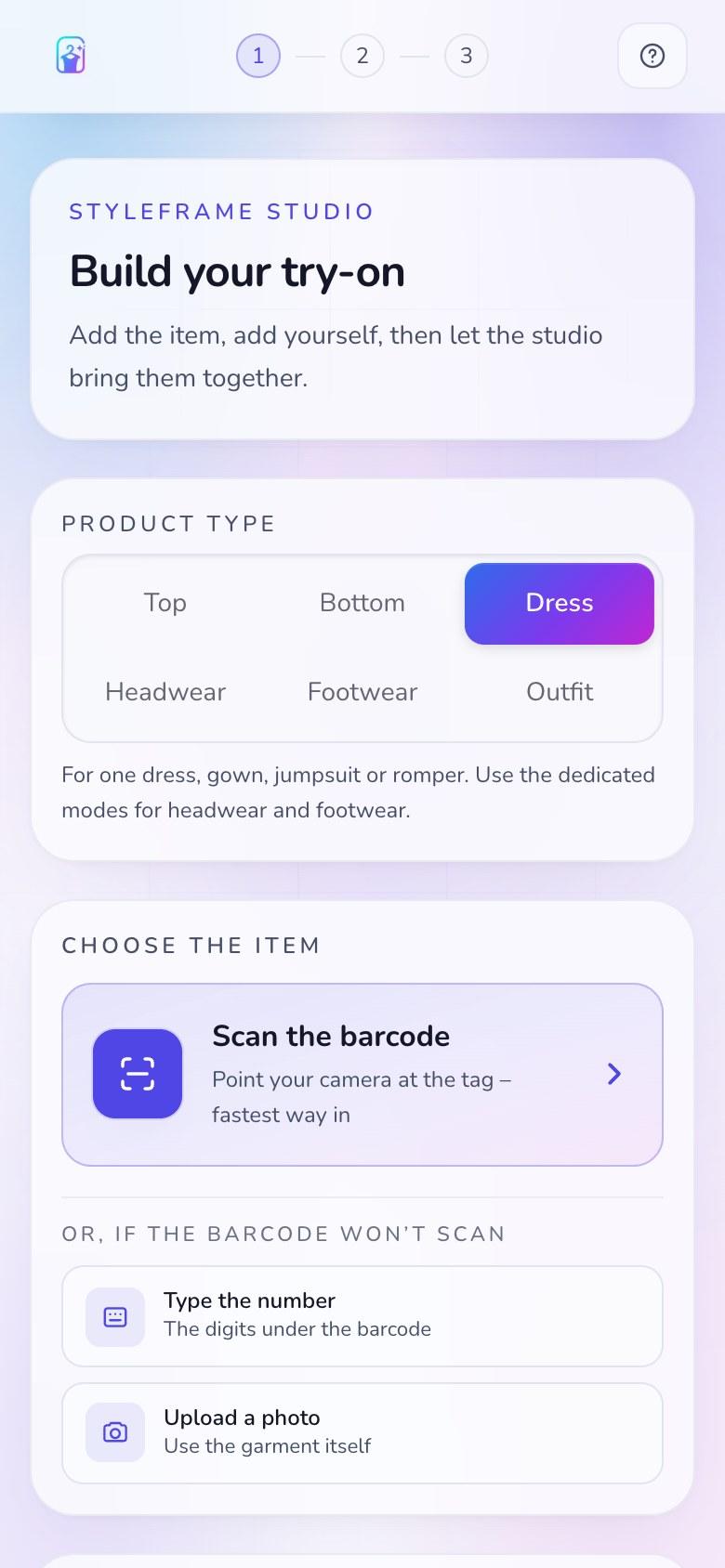
Scan the tag

One generic QR, the same on every garment. The web app opens on their phone with no app. Ordinary in-store visits stay anonymous; the public demo uses phone verification. A guided in-store kiosk is planned as a later option.

StyleFrame studio on a phone, offering to scan the barcode, type the number, or upload a photo of the garment
02Photo

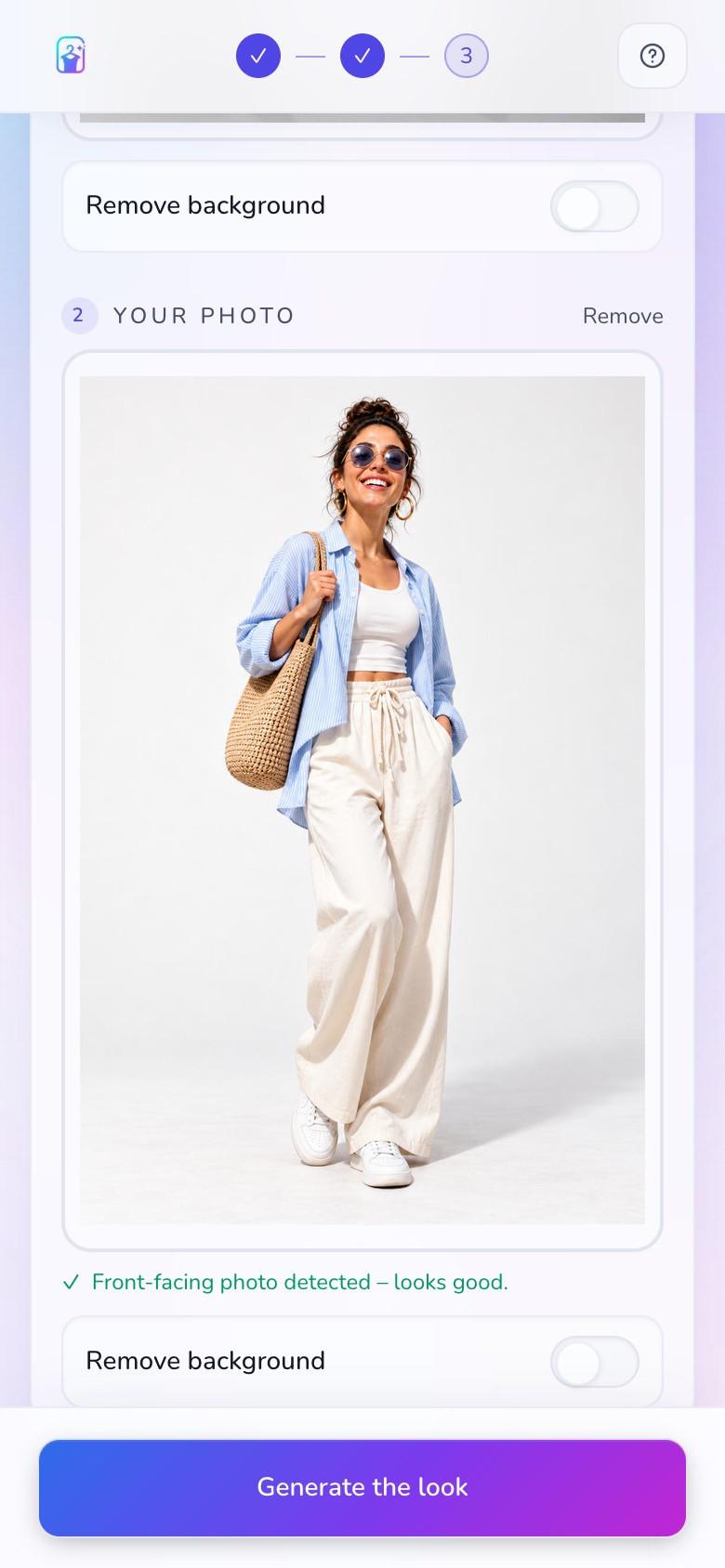
Take one photo

One quick photo of themselves is all it takes to set up a personalised try-on.

StyleFrame studio on a phone with a smiling shopper in a blue overshirt, white top and cream trousers added as a front-facing photo
03Choose

Choose what to see

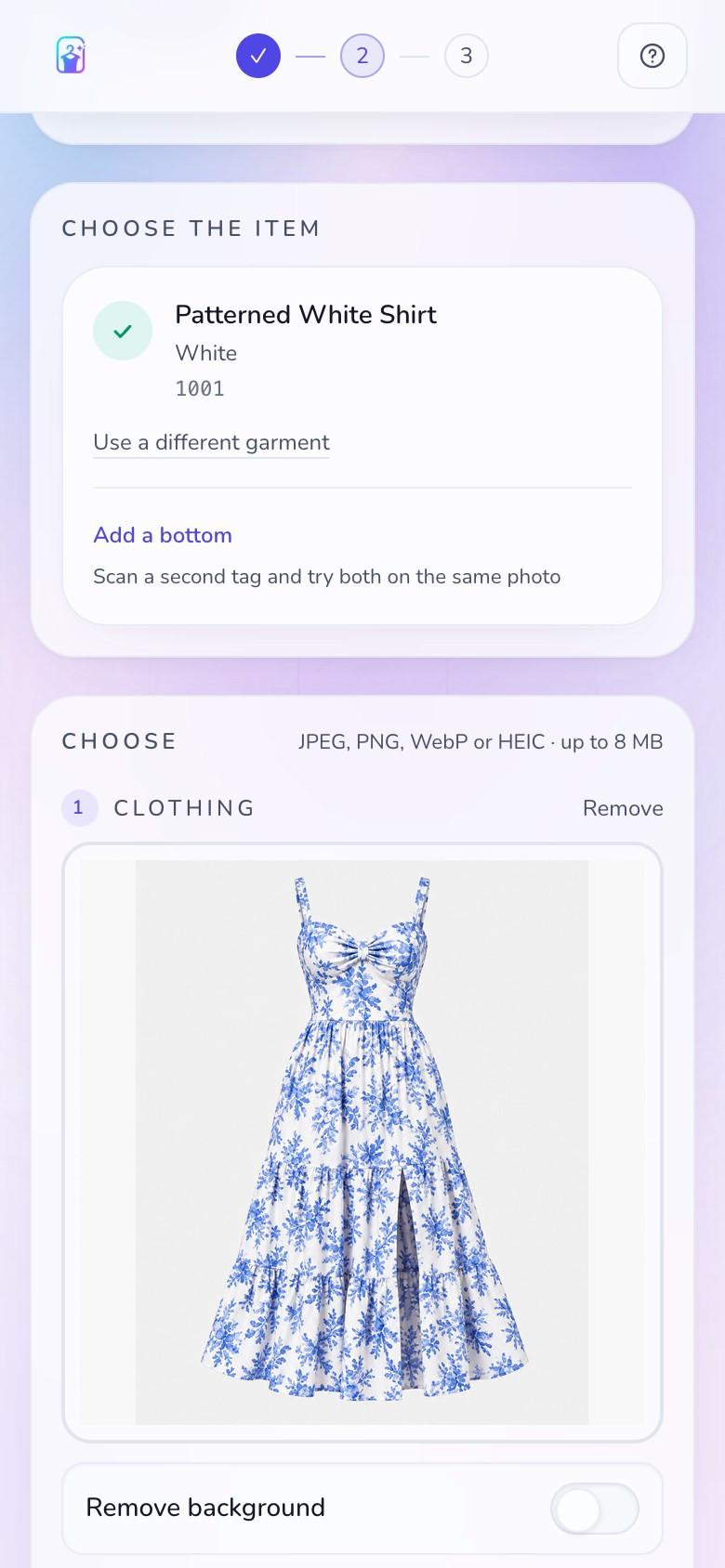
The barcode on the tag names the exact item and colourway. Add more pieces to build a complete outfit and see the combinations they want to try.

StyleFrame studio on a phone with an isolated blue-and-white floral dress loaded in the garment photo area
04See

See yourself in every look

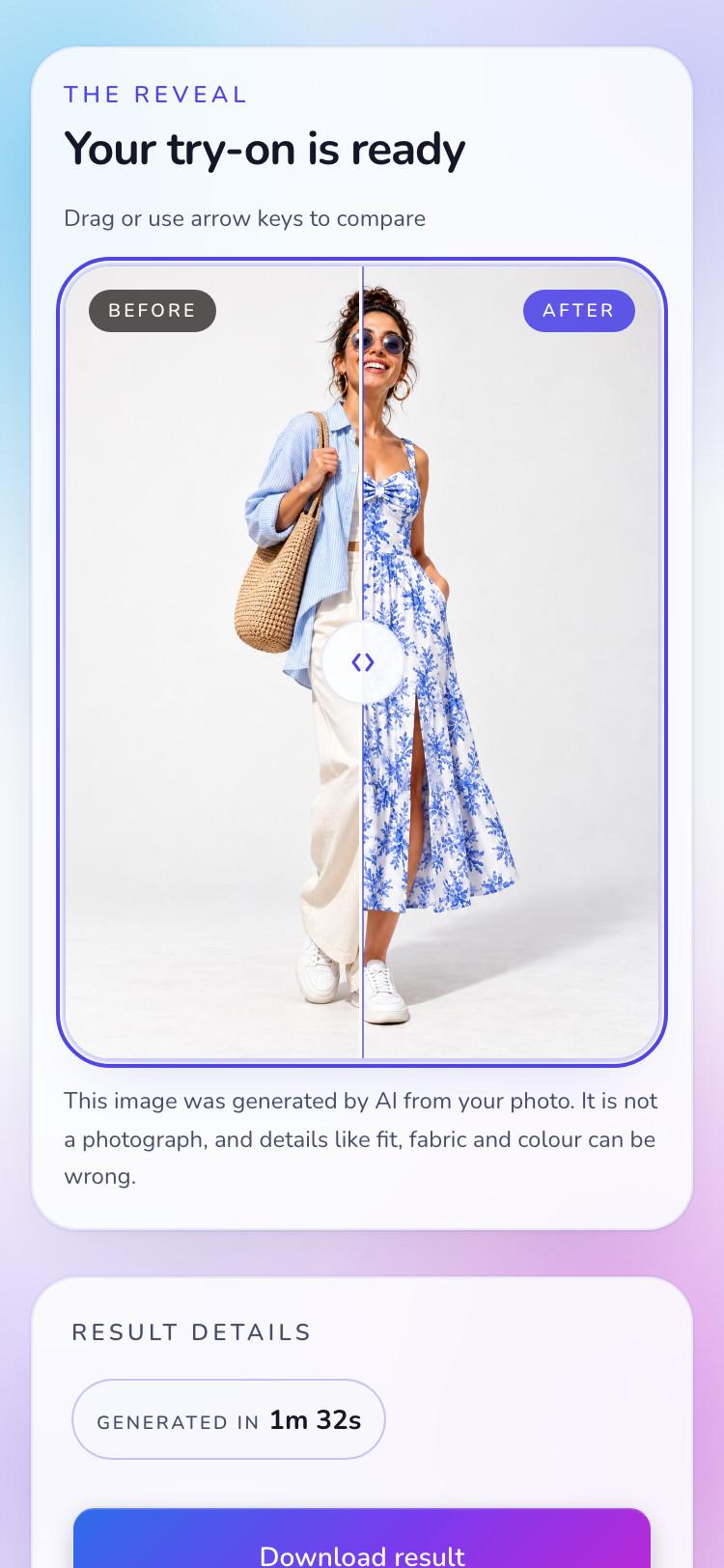
Each look is rendered on them in about a minute, with their own proportions preserved. They check the result against their own photo before deciding.

StyleFrame result on a phone comparing the shopper in her blue overshirt and cream trousers with the same shopper wearing the selected blue-and-white floral dress
05Decide

Choose with confidence

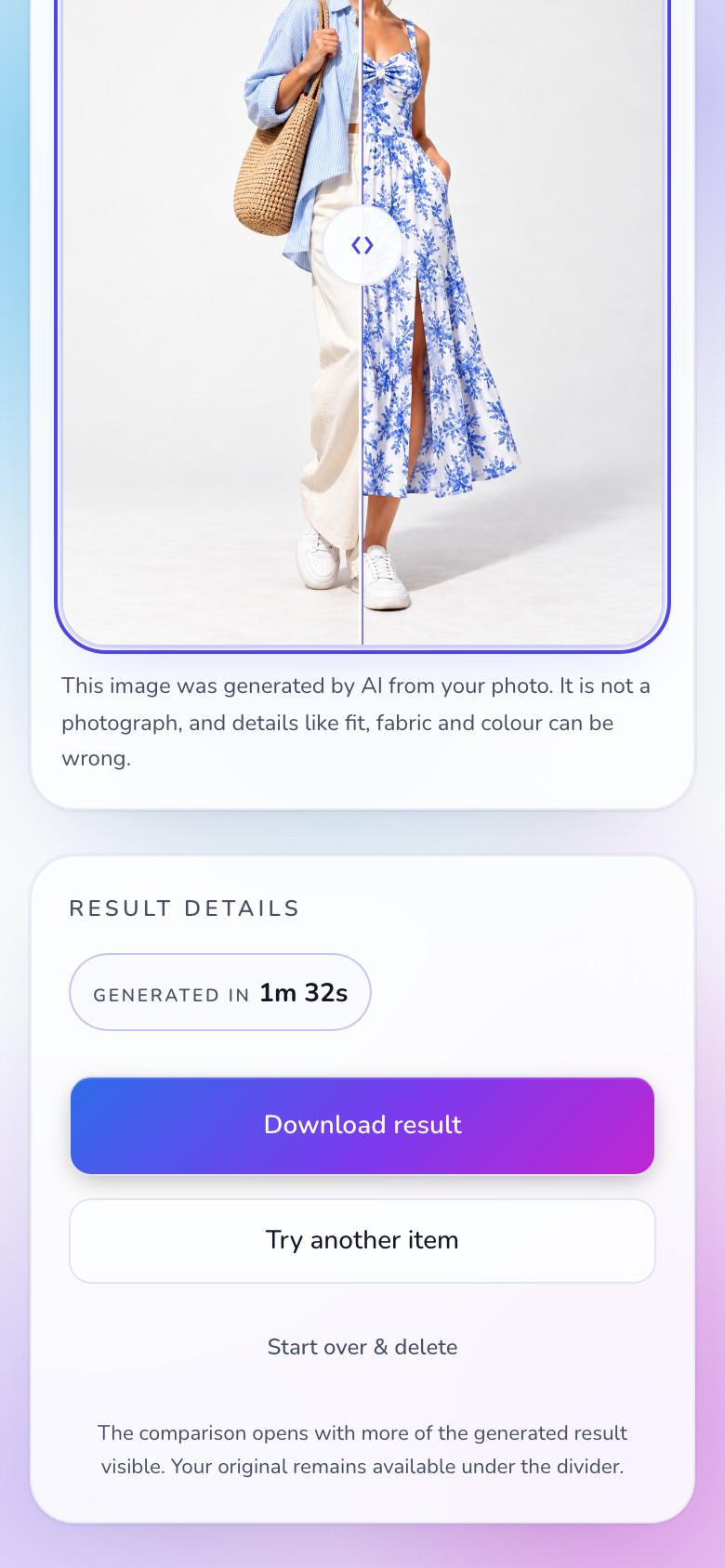
Every look is shown on them with their shape and proportions preserved, so each comparison is personal and every decision is more certain.
StyleFrame result on a phone comparing the shopper in her blue overshirt and cream trousers with the same shopper wearing the selected blue-and-white floral dress, with options to download, try another item or start over
1 / 5 · Swipe to explore
Why StyleFrame

Designed around every choice you make.

01

See complete outfits before trying them on.

02

See every look on yourself, not a generic model.

03

Build and compare looks against your own photo.

04

Make every store visit more interactive and engaging.

05

A smarter way to showcase more of the collection.

06

Help the store understand what shoppers want.

1 / 6 · Swipe through the reasons
One sticker

You print one sticker. Not one per item.

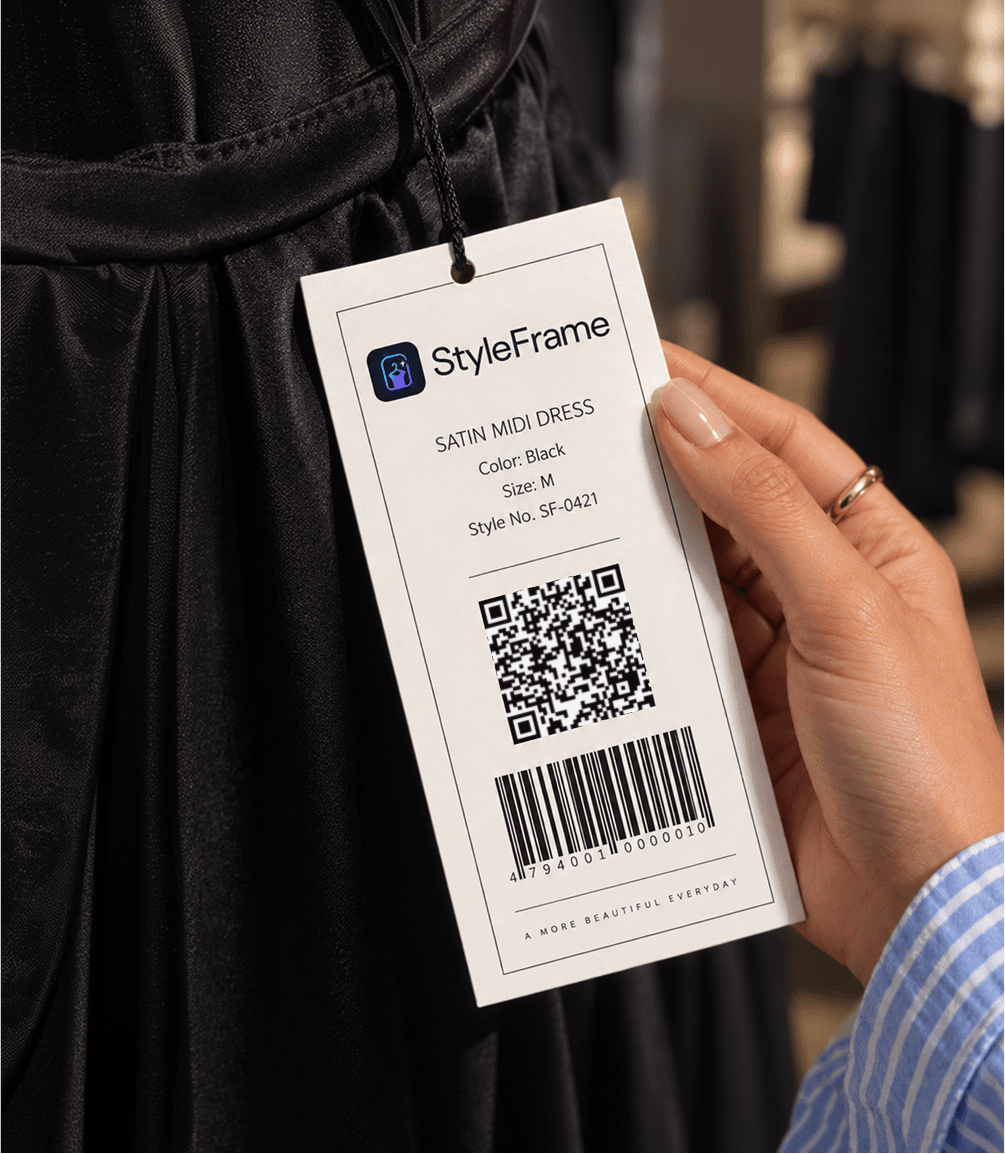
It goes on the hangtag an inch above the barcode you already print. When your stock changes, nothing about the sticker changes. When you open a second branch, it is the same sticker again.
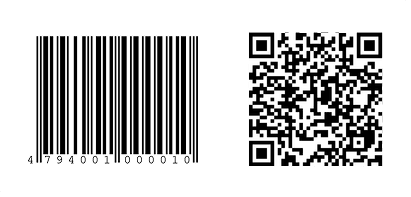
Sticker
30 × 30 mm
Printed area
27 × 27 mm
Finish
Matte, black on white
Error correction
Level H (30%)
Resolution
300 dpi minimum
A sample garment barcode and StyleFrame QR code printed together
A StyleFrame garment hangtag with its QR code and barcode, held in front of a black dress
Try-on output

What the try-on produces.

  • Tops
  • Bottoms
  • Dresses
  • Headwear
  • Footwear
  • Full outfits

Every frame below is a real generation from the live studio, not an illustration of one.

01Fidelity01 / 02

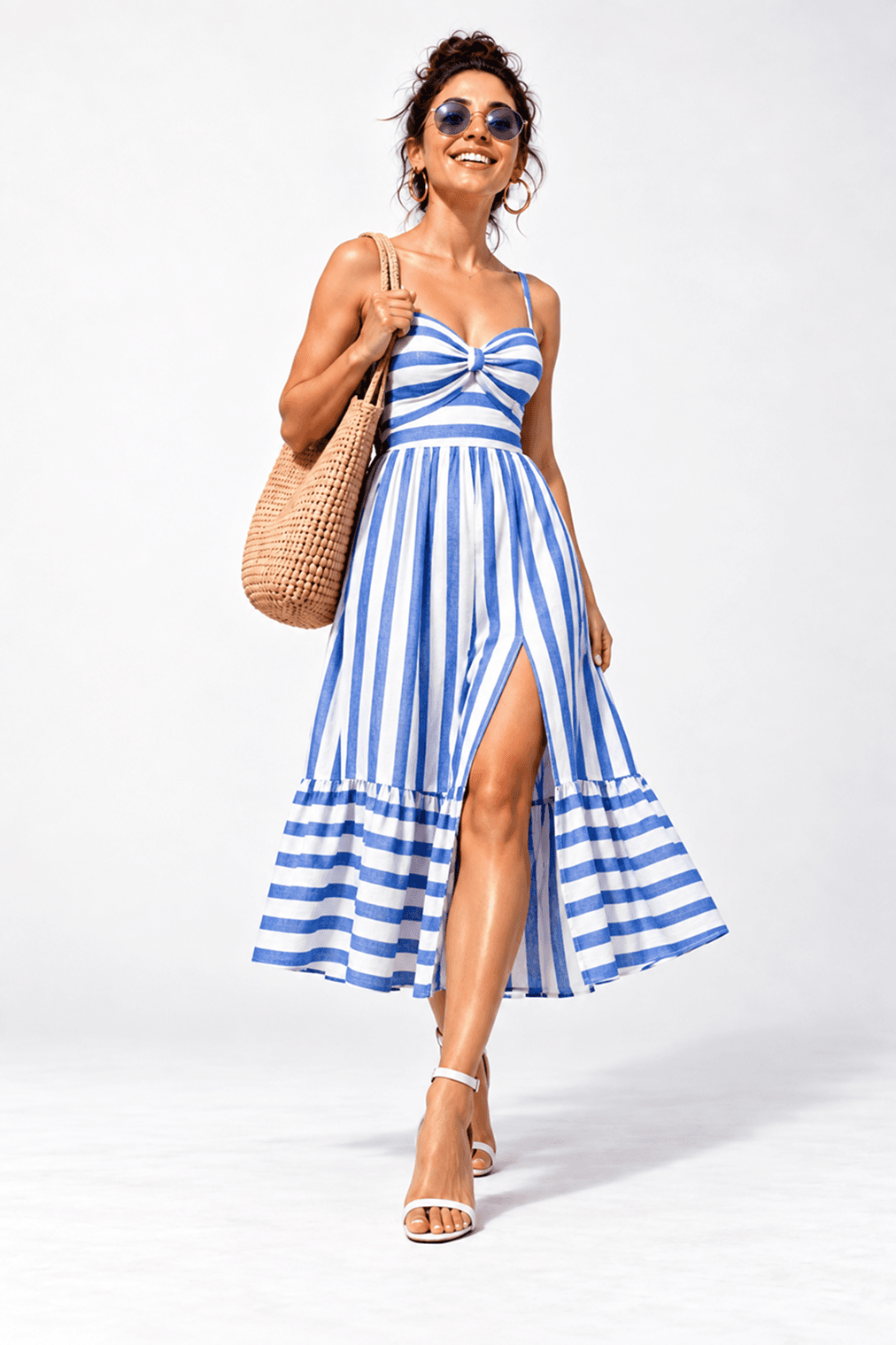
Body shape preserved

The garment changes. Their proportions, pose and surroundings do not. That consistency makes the result worth trusting.

StyleFrame AI generates synthetic previews. Results are approximate and can contain mistakes.
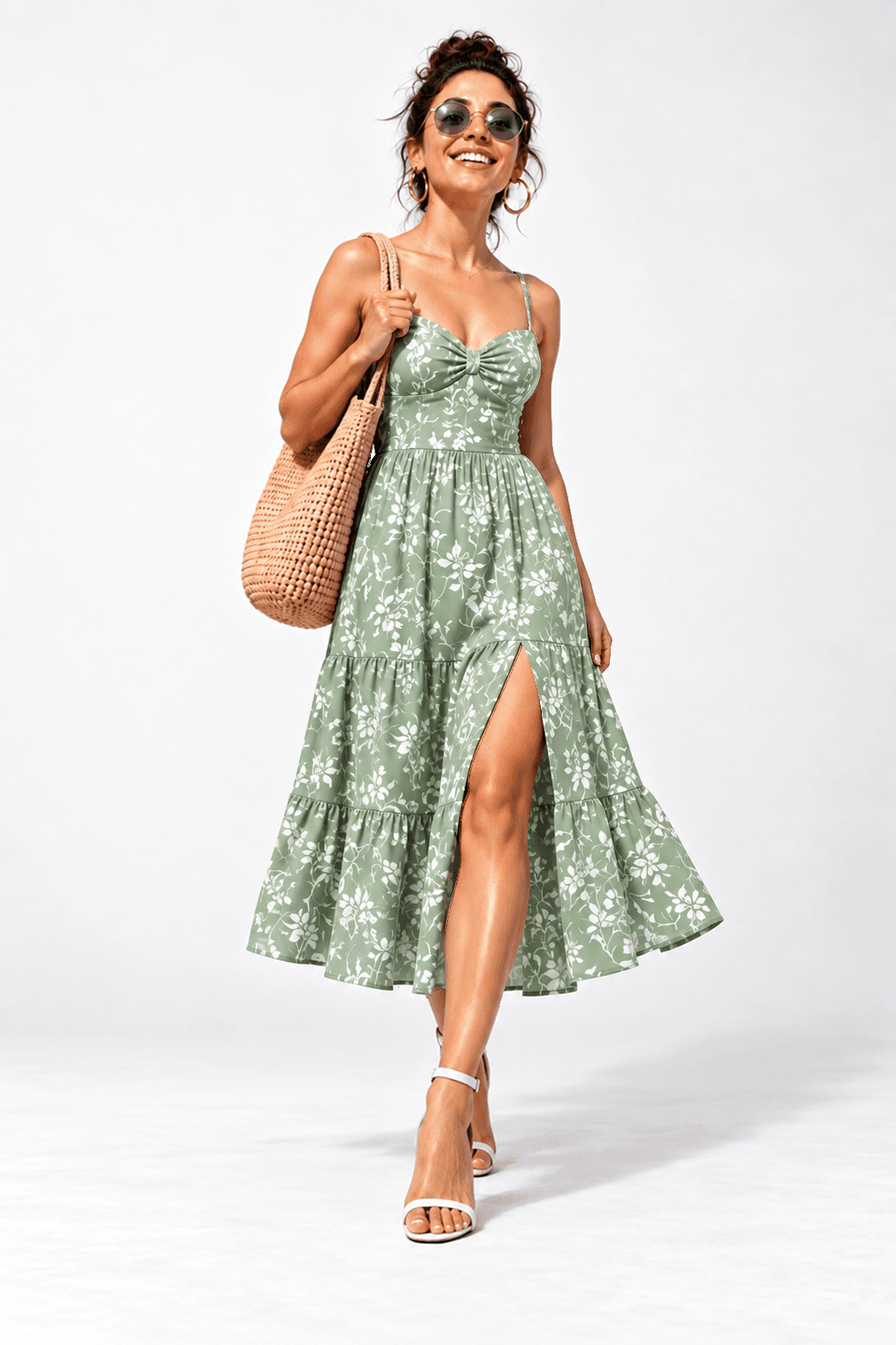
After: the same shopper, pose and proportions wearing a green floral dress generated by StyleFrame AI
Before: the shopper wearing a blue-and-white striped dress
BeforeAfter

Drag or use arrow keys to compare

Demand signal

We are the only thing in the shop that measures interest rather than sales.

Signal group 01Example

Scans

Entry interest

Try-on completions

Finished journeys

Signal group 02Example

Per-variant popularity

Colour and size pull

Pairing popularity

Looks built together

Signal group 03Example

Repeat scans

Return consideration

Price-hesitation watchlist

Interest without action

Swipe through 3 insight groups

We prove engagement. You own conversion.

We can show you what people wanted. We will never claim your revenue as our number.

One platform

Your retail journey, connected.

Start with QR try-on today. Add kiosks, online experiences and retail insight as you grow.

Start hereAvailable now
01

Product catalogue

Build your collection once.

Manage your products in one place and keep every collection consistent across the QR experience today, and across kiosks and online as they arrive.

02

In-store experience

Start with QR.

A simple QR experience lets shoppers see outfits on themselves right away, with no app for them and no new hardware on the floor.

Growth chapter 02Next
03

StyleFrame kiosk

Grow into a guided station.

A dedicated kiosk for a larger, guided in-store try-on. Planned as the next step for stores that want it, with the same experience for the shopper.

04

Website try-on

Extend the experience online.

Bring the same virtual try-on to your website so shoppers can explore the collection and try looks from anywhere. On the roadmap.

Growth chapter 03Next
05

Sales assistant

Make every recommendation personal.

Give your team a view of what a shopper explored so they can suggest complementary styles and complete looks. Planned.

06

Retail dashboard

See more than sales.

See what shoppers viewed, tried on and compared, not only what they bought. Turn that interest into better merchandising decisions. Coming with shop accounts.

1 / 3 · Swipe through 3 connected chapters

One platform. Every experience connected.

Privacy

Privacy is the product, not the footnote.

From the first scan to automatic deletion, every step is designed to collect less and keep it for less time.

01

Anonymous in store

No password account. No face on file.

In-store visits stay anonymous; the public demo verifies a phone only for its free allowance.

02

On-device checks

Checks run on the phone.

Face and pose detection happen in the browser. In the ordinary case the photo is not sent to us for that.

03

Automatic deletion

Photos are deleted automatically.

On "start over", at session end, or after the retention window, whichever comes first.

04

Optional demo verification

Never used to train models. Never sold.

1 / 4 · Swipe through 4 privacy promises
Pricing

Simple monthly packages.

Three clear options for Sri Lankan retailers.

Standard

01

24,900 LKR

per month

Up to 1,000 generations

Core usage reporting for one branch.

Pro

02

29,900 LKR

per month

Up to 1,250 generations

Advanced comparisons and exportable reports for up to five branches.

Premium

03

34,900 LKR

per month

Up to 1,500 generations

Complete reporting and trend insights across unlimited branches.

Questions

Straight answers.

No. The QR sticker sits on the hangtag. The customer scans it with their own phone while they browse. There is no queue, no app to download, and your staff don't need to intervene.

Ordinary in-store visits need no name, email, phone number, or account. Our public Kandy Silks demo separately verifies a Sri Lankan mobile number so each person receives three lifetime free try-ons.

No. StyleFrame uses a simple CSV upload of your catalogue and can look up barcodes against your existing exported feed.

No virtual try-on is perfect. StyleFrame AI generates a high-fidelity synthetic preview that preserves the garment's drape and the customer's body shape, but it is an approximation, not a photograph.

Get started

Built for better shopping. Designed for smarter fashion businesses.

Create shopping experiences worth coming back for while understanding what shoppers wanted, not just what they bought. From every try-on and comparison to every purchase, StyleFrame gives your business a clearer picture of shopper interest through one connected retail platform.

In a shop right now? Point your phone camera at the tag on the garment.